
When links necessitate amputation
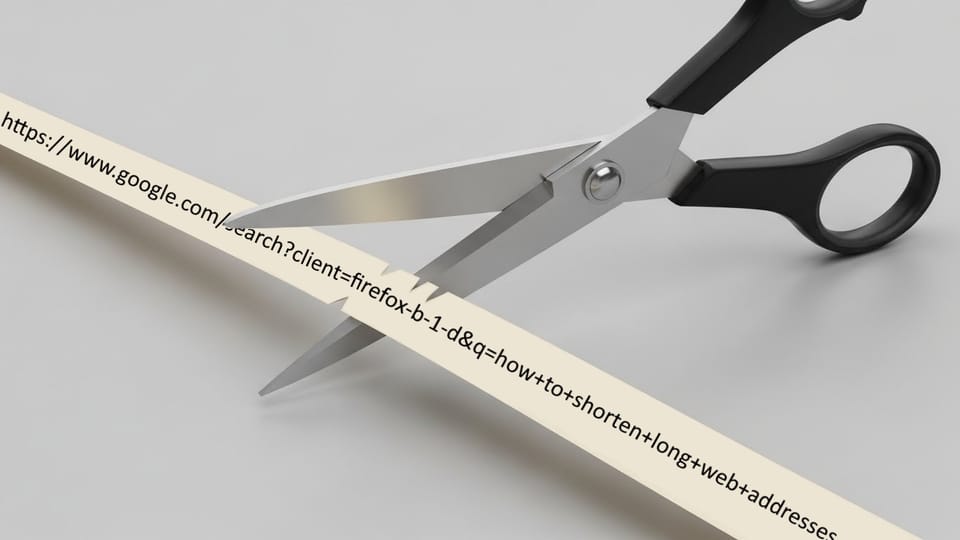
Sometimes you just need a shorter URL. What if you also need it to track clicks, look professional, and somehow still fit on a QR code small enough for a business card. Could we pay any of a hundred companies to do this for us? Sure. But this blog isn’t about normal solutions, it’s about self-inflicted projects. So let’s build our own over-engineered link shortener — complete with QR codes, tracking, plugins, and just enough broken Docker builds to make me question my life choices.
QR Codes and Other Forms of Torture
First, we need to figure out our target length. The links will mostly be used in ads as well as for QR codes on business cards and promotional graphics. Of the two, QR codes will be more limiting, with a max length of 50–60 characters according to SproutQR. We could go longer, but that would make the QR codes more complex, leading to slower scans and taking up additional precious real estate on the already space-starved graphics. So 50 characters it is… because nothing says ‘fun’ like agonizing over tiny rectangles of black and white pixels.
Our links need to include https://, immediately devouring 8 precious characters and leaving us gasping at 42. Our domain? A monstrous 20 characters long with a 4-character TLD (.com), dropping us to 18. On top of that, the domain is used for other things, forcing us into the dreaded subdomain abyss. I can't think of any 1 or 2 character subdomains that don’t look like a frog hopped across the keyboard, so we’re stuck with something like lnk. —another 4 characters lost to the void, leaving a mere 14. OH! And don’t forget the slash, slicing off one more like a merciless guillotine, leaving us with a head of just 13 characters.
Thirteen characters might technically be enough, but that would condemn our short links to a life of disemvoweled horrors, random strings, and words hacked apart like digital Frankenstein monsters. Forget memorability or readability—those are for mere mortals. With a spark of creativity, a dash of stubborn obsession, and possibly some ritual sacrifices to the URL gods, we can conjure a secondary domain that actually looks normal.
A few TLDs make this slightly less nightmarish. We’ll focus on three-character ones available from Cloudflare that aren’t overrun with primary domains (.com, .net, .org). We'll also avoid any that have a large upfront cost for shorter names, since our ideal domain is only 7 characters. This leaves us with 3 primary options (.ink, .biz, .xyz). .xyz goes straight into the trash heap—it just doesn’t look right for a business site, even for short links. After discussion with the parties involved, we settled on a 7 character domain under the .biz TLD. The root domain will host our short links like a tiny fortress of sanity—while the www. subdomain reluctantly redirects to the main site using Cloudflare Rules—because nothing says “I’m a professional” like orchestrating a multi-layered redirect for links no one will ever complain about.
Short Links, Zero QR Codes
Now that we’ve escaped the depths of character hell, it’s time to pick our software. First, let's define our essential requirements:
- Self-Hosted
—Paying someone else is too easy - Open Source preferred
—We like code we can poke at - Referrer Tracking
—How did they even get here? - Click through metrics
—Are they even being used? - User Authentication
—We aren't doing this for everyone - QR Code Generation
—Are you going to spell out the link for everyone that needs it?
There are plenty of services—some paid, some free—that will host shortened links. While the paid ones are fine for normal humans, we’re sticking to self-hostable options. After some Googling and consulting a curated list I found on GitHub, here’s what we found:
- Flink
—No user management - Sink
—No QR codes, Runs on Cloudflare Workers - Shlink
—Extra characters, still no QR codes - Dub.co
—Only self-hostable by the clinically insane - Kutt
—QR codes still not here - Polr
—To QR or not to QR... Apparently not - Pygmy
—Maybe I'm missing something? No QR codes here either - Yourls
—Plugins. Plugins. Plugins.
YOURLS it is—because sometimes the simplest path is also the least likely to cause a breakdown. Maybe.
Someone call Mozart!
It's composin' time
With the winner chosen, it’s time for the inevitable next step: wrestling it into containers.
Setting up a Docker compose for YOURLS is pretty easy. I'll be using Cloudflared for access, at least while I'm testing and setting up. So we just need to throw that, the YOURLS docker image, and MySQL together, and we should be good to go.
Now we set up the tunnel in Cloudflare Zero Trust using the Domain we specified in our .env file. Once complete we should be able to access the admin panel by going to https://${DOMAIN}/admin/ and if that works we can move on to plugins.
Easy peasy, Lemon Sque... Huh? What did you... Oh, plugins...right.
Plug to (in)press
This is not a guide, but a journey...
The QR plugin that stands out to me is by seandrickson and is available on GitHub. Adding this to our docker install is not as easy though. First, we need to access the volume we have mounted in our compose file. Selecting the volume in Portainer shows us where it's mounted on the host file system, then we just need to follow a few steps...
- SSH to our docker host
- CD to the mount location we found above
- I don't want to figure out if git is installed and setup on my docker host so we're going to download the zip of the repo using curl:
curl -o YOURLS-QRCode-Plugin.zip https://codeload.github.com/seandrickson/YOURLS-QRCode-Plugin/zip/refs/heads/master - Extract the files using unzip:
unzip YOURLS-QRCode-Plugin.zip - Copy the
sean-qrcodefolder out of the resulting folder:cp YOURLS-QRCode-Plugin-master/seans-qrcode seans-qrcode - Then we can remove the unzipped folder:
rm -r YOURLS-QRCode-Plugin-master/ - Remove the zip too since we don't need it either:
rm -r YOURLS-QRCode-Plugin.zip - Load up the portal for YOURLS and select
Manage Pluginsin the top left - Find
Sean's QR Code Short URLsin the table and selectActivatein the Action column - Hmmm... I might be mistaken, but this looks like an error.
Utilizing the above journey and information on modifying the Docker image I found in this issue, we're going to build our own image adding compose with their suggestion:
RUN curl -sSL https://github.com/mlocati/docker-php-extension-installer/releases/latest/download/install-php-extensions -o - | sh -s gd @composerThen we're going to add another run command to perform all the steps we manually did and the necessary composer commands:
FROM yourls:latest
RUN curl -o YOURLS-QRCode-Plugin.zip https://codeload.github.com/seandrickson/YOURLS-QRCode-Plugin/zip/refs/heads/master && \
    mkdir -p /var/www/html/user/plugins/seans-qrcode && \
    unzip -ju YOURLS-QRCode-Plugin.zip "YOURLS-QRCode-Plugin-master/seans-qrcode/*" -d "/var/www/html/user/plugins/seans-qrcode/" && \
    rm YOURLS-QRCode-Plugin.zip && \
    cd /var/www/html/user/plugins/seans-qrcode && \
    composer update && \
    composer install --no-dev
Now we build the Docker image and run the compose again...
Thankfully, this route works... Just as long as we don't need to update the plugin. Since our compose creates the volume in the root install location of Yourls to allow for some of the plugins that need files added in other locations, the compose can't overwrite the existing files to make changes. Most configuration seems to be saved in the database. If any plugins you're using require changes to files for configuration, you might want to change how the volumes are set up in the compose to only keep config files persistent.
The Dockerfile, Docker-compose, and .env.example are on our GitHub if you would like to view them.
More plugins
We can't stop at just adding QR codes, while searching through the available plugins I found the below items that should provide some benefits to our setup.
- YOURLS_ReverseProxySupport
— Oh wow, Cloudflared really likes our links! Maybe we should get the real IP...- This should also work with other reverse proxies if you're using them, and shouldn't cause any problems if you have it installed when not using a reverse proxy.
- yourls-dont-track-admins
— Just because I click through the links a hundred times while testing doesn't mean I want to see it.- This plugin is archived on GitHub so we might be looking for a different one later, but it does seem to work for now.
- yourls-dont-log-health-checker
— Can't let the bots mess up our counters. - yourls-popular-clicks-extended
— What's the point in counting if we can't see which links are winning? - timezones
— GMT timestamps? I think not...
Unfortunately, that does not cover all our bases as we're still missing multiple user features, but not due to a lack of plugin options. The issue here is that all the user plugins I could find used external user sources, and I do not feel like messing with that right now. Currently, only a few people will be logging in, making this a pretty low priority. We have the admin login to prevent random people from creating links so it should be good for now. One day I’ll open this can of LDAP-flavored worms, but not today.
Conclusion
And that’s how I turned a five-minute problem into a multi-day odyssey of Docker-induced suffering. If you came here looking for the easiest way to shorten links, you might be in the wrong place. But if you wanted proof that over-complication can be fun... well, you’re welcome? Now excuse me while I pretend this tiny black-and-white square didn’t consume a quarter of my week.
Member discussion